
How To Install StoreSEO App On Your Shopify Store?
StoreSEO app can help you optimize your Shopify products for a better SEO rank in search engine results. This will help potential customers find your products and drive more traffic to your business. You can learn more about how StoreSEO works here.
How To Install StoreSEO App On Shopify Store
To install the StoreSEO app, first, you need to create a Shopify store account. Then follow the steps given below.
Step 1: Click On The ‘Apps’ Option From Shopify Admin
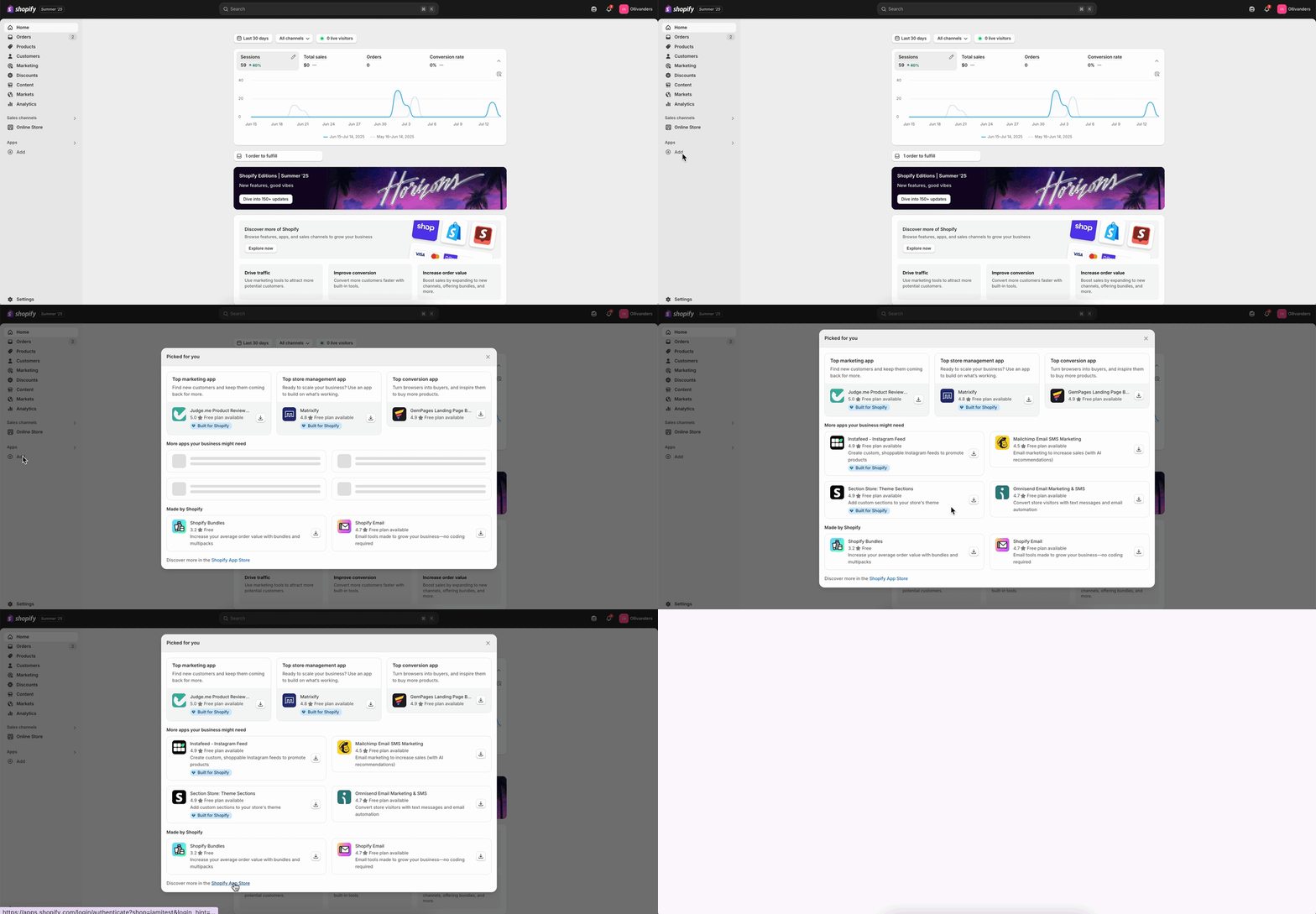
First, you need to click on the ‘Add‘ option from your Shopify navigation bar under the App option. Click on the ‘Shopify App Store‘. It will redirect you to the Shopify Apps Store page.
Step 2: Install StoreSEO App To Your Store
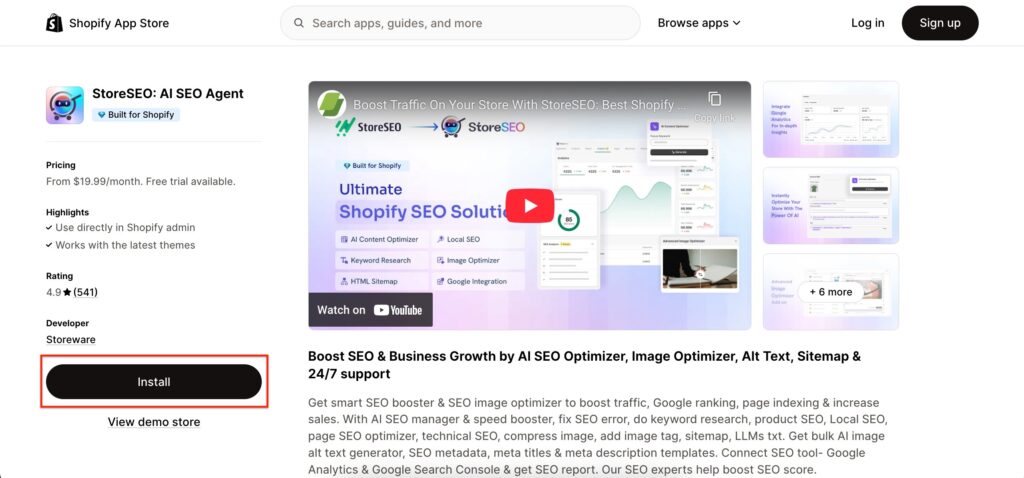
From here, search for ‘StoreSEO‘ in the search bar and click on the app. Afterward, hit the ‘Install’ button.
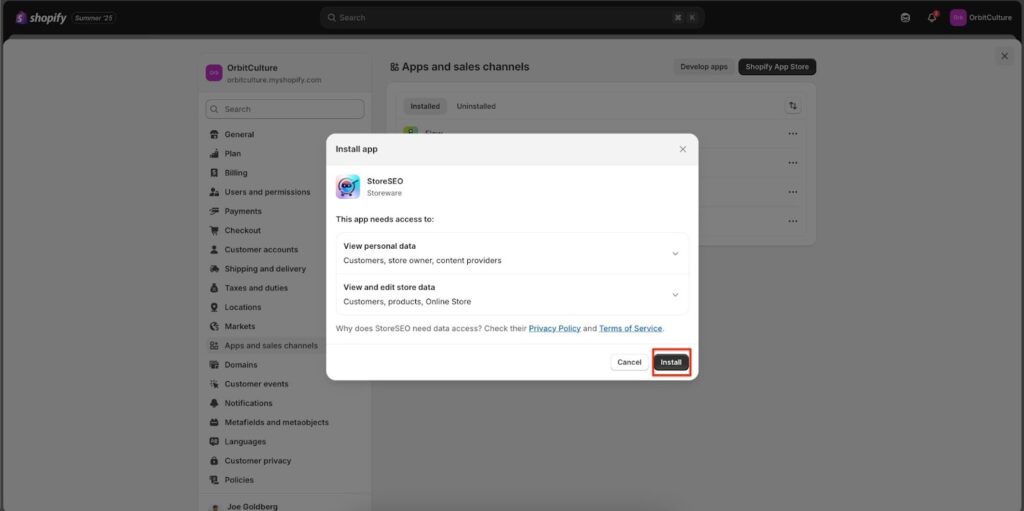
You will be redirected to the Shopify dashboard from where you can install the app by clicking on the ‘Install’ button.
Step 3: Start the Onboarding Setup Process
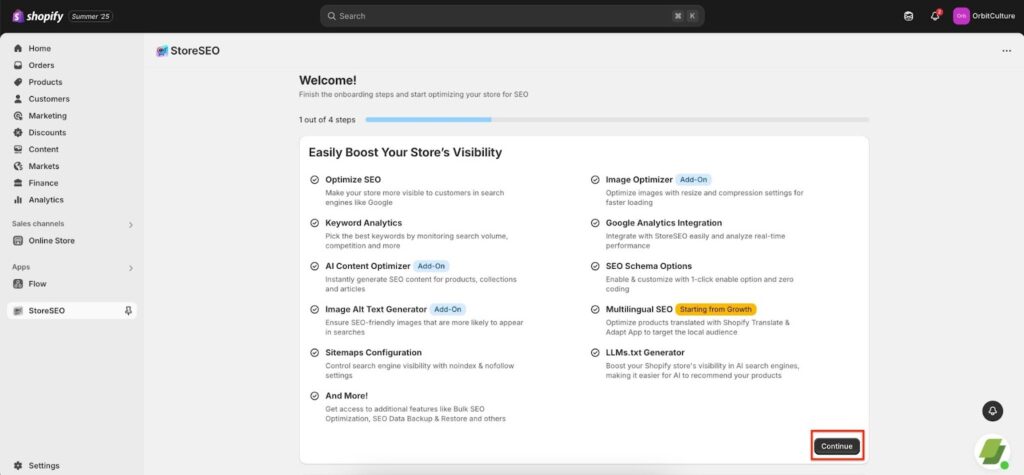
In this section, you will be on the first step out of four. Here you will see the perks and benefits of StoreSEO: AI SEO Agent. The features and how they will help your store to grow. Click on the ‘Confirm’‘ button to proceed further.
In this section, you will be on the first step out of four. Here you will see the perks and benefits of StoreSEO: AI SEO Agent. The features and how they will help your store to grow. Click on the ‘Confirm’‘ button to proceed further.
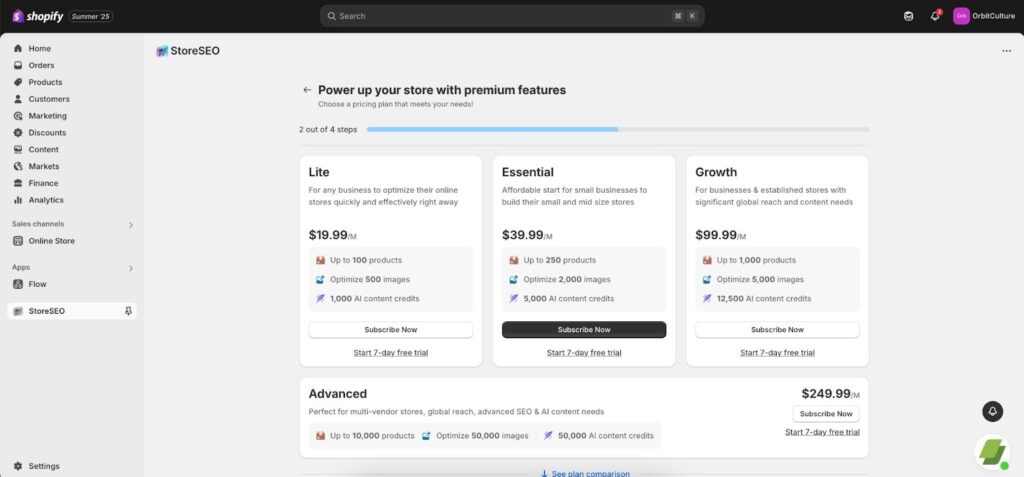
Here, you can select the preferred SEO plan for your Shopify store. Click on the ‘Subscribe Plan’ button to proceed further.
Note: If you prefer to take a trial plan, simply click on the Start 7-Day Free Trial, and your trial plan will be active with its features.
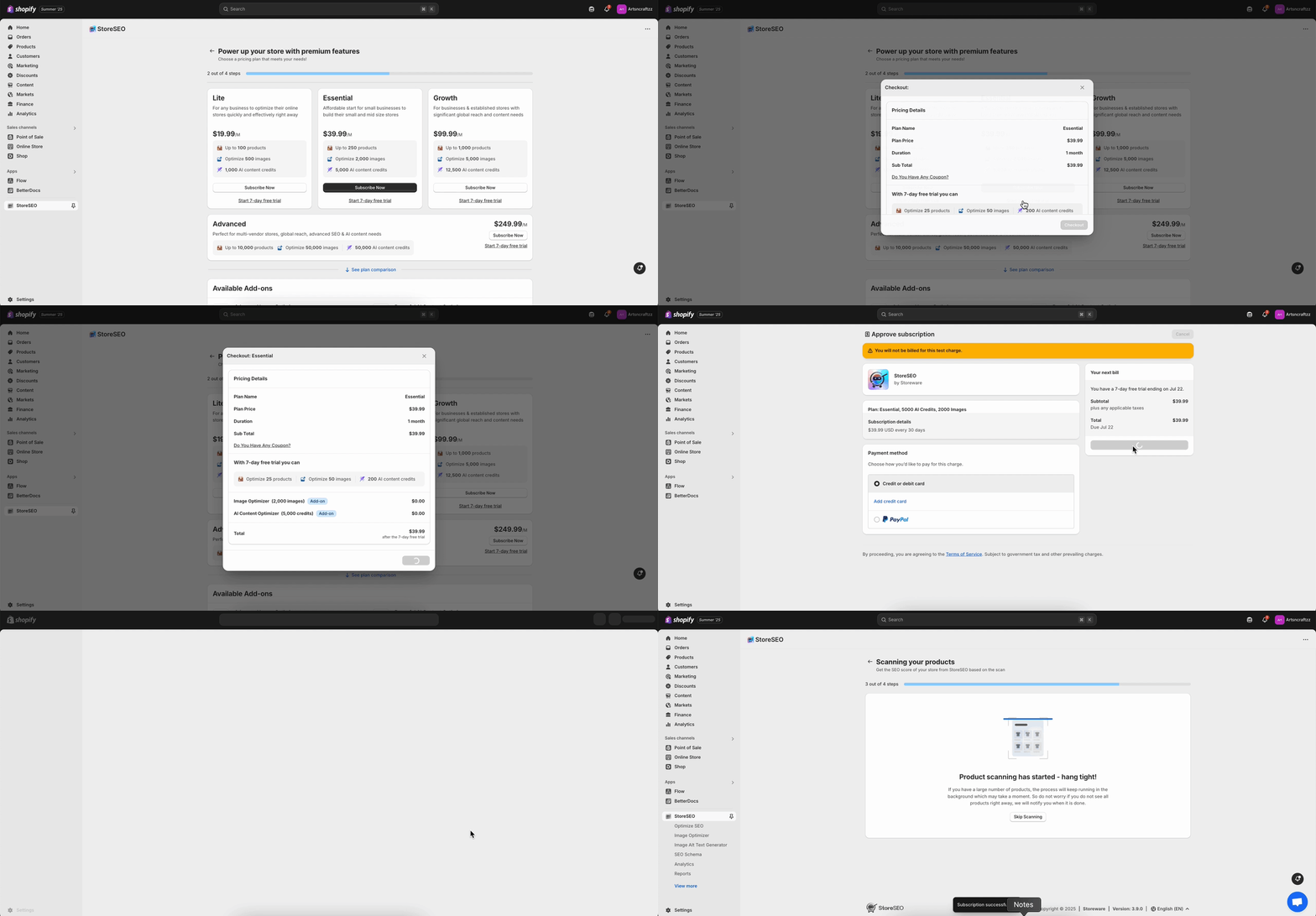
Once your trial plan is activated, proceed to the next step, where your store will be automatically scanned.
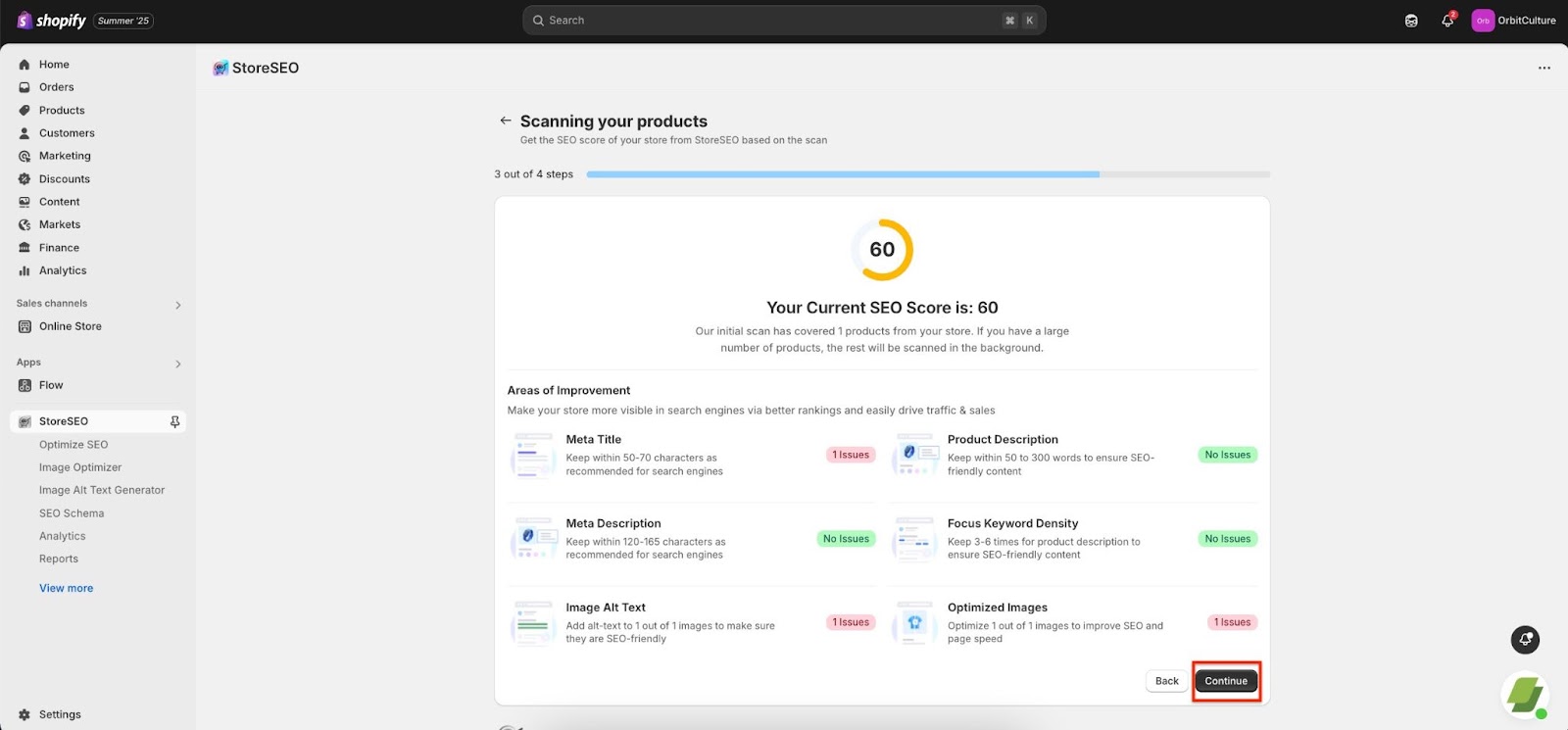
Now, at the third step, your store will be automatically scanned and after a while you will get the SEO score based on the analysis. Once you are done checking the suggested areas of improvement,hit the ‘Confirm‘ button to proceed further.
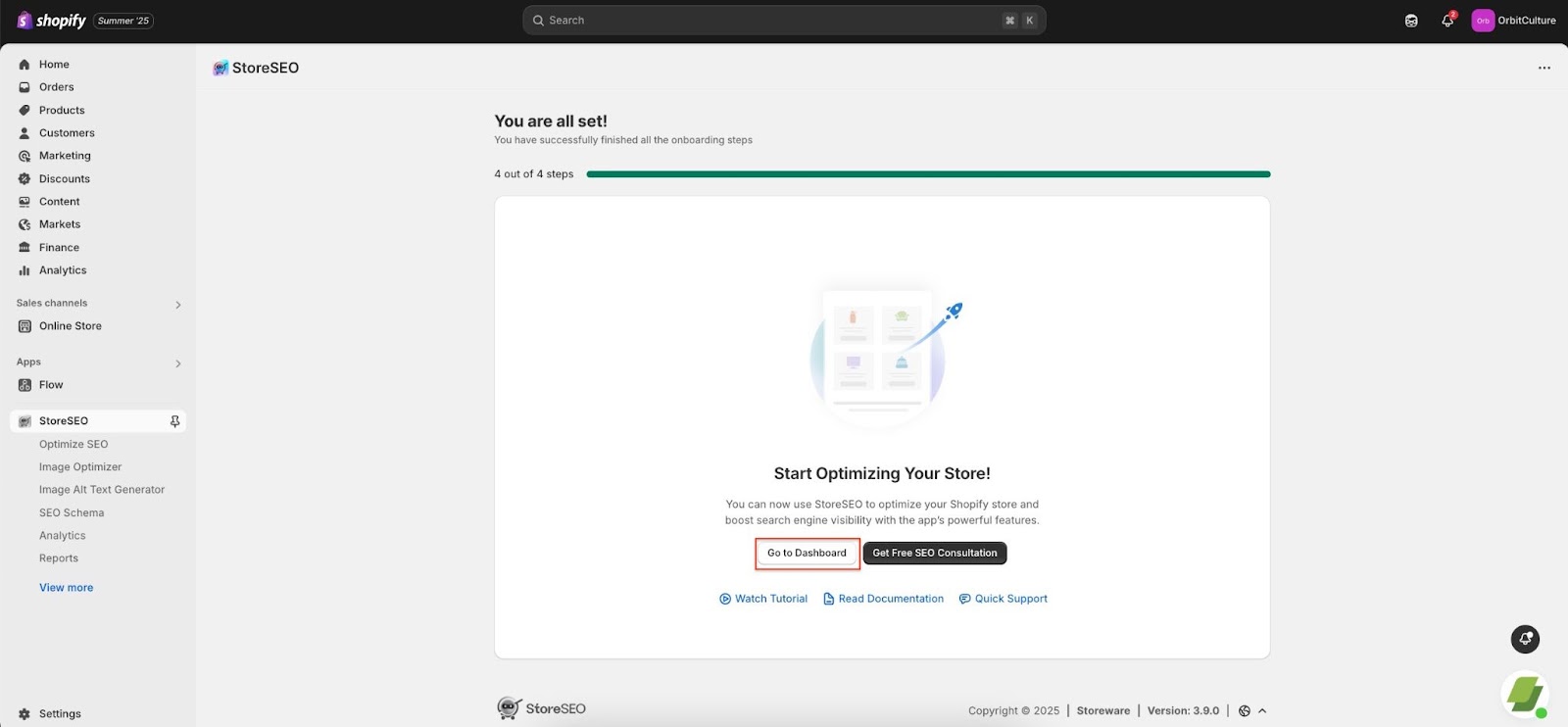
This is how easily you can install the StoreSEO app on your Shopify store. Need assistance? Feel free to reach out to our dedicated support team for any type of queries.
Need assistance? Feel free to reach out to our dedicated support team for any type of queries.
Still need help?
Our support team is happy to assist you.