
How To View SEO Reports For All Products, Blogs & Pages
With the StoreSEO app, you can now see detailed SEO reports of all your products, pages & blog posts. From there you can find out your Overall Score, Total Issues, etc. This feature will help you understand if your Shopify store is properly optimized for SEO at a glance.
How To View SEO Reports For Your Shopify Store?
Head over to your StoreSEO dashboard. Then click on the ‘Report’ tab and find your in-depth report on products, pages & blog posts.
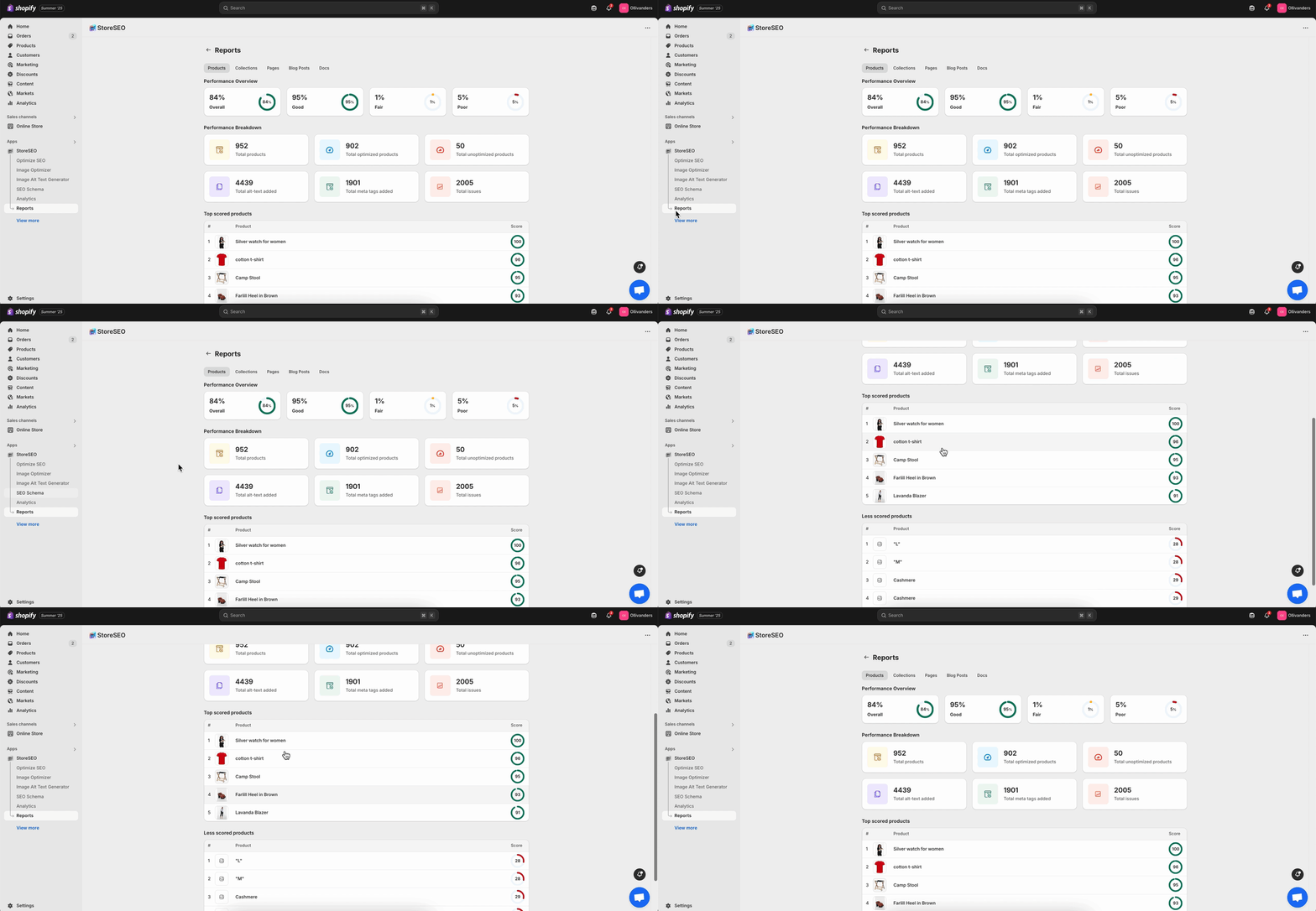
You can switch between the tabs to see your detailed report on respective categories.
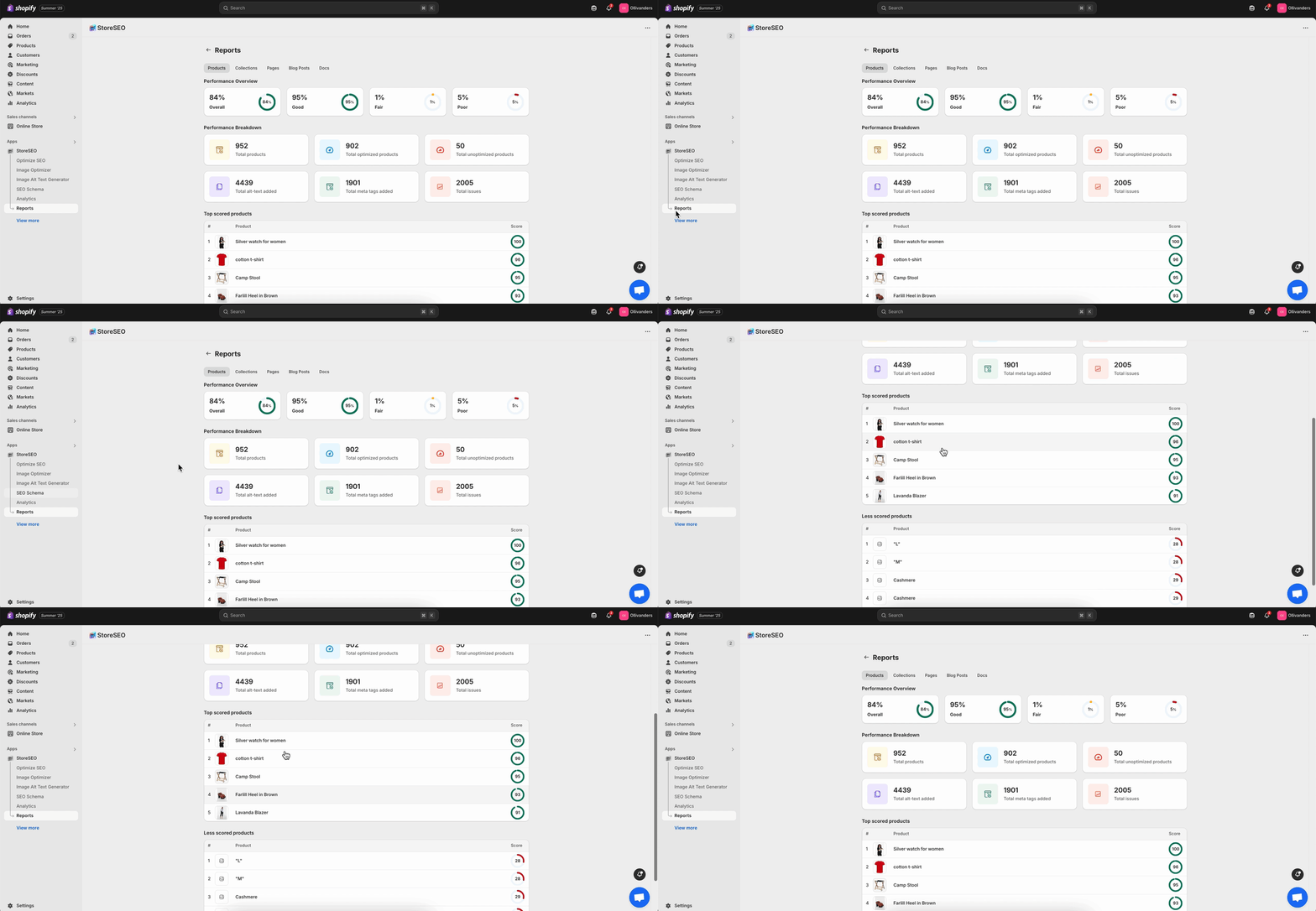
This is how you can easily see your SEO reports using StoreSEO and easily see if your Shopify store is properly optimized.
Need assistance? Feel free to reach out to our dedicated support team for any type of query.
Still need help?
Our support team is happy to assist you.