
How To Add An Image Alt Text For Shopify Products With StoreSEO?
With the StoreSEO app, you can add an Image alt text that will describe the product picture to visitors who may not be able to see the product, in case of any image loading error on your store or any accessibility needs. After conducting your keyword research, you can incorporate the relevant keywords into the alt text and rank your product image in Google searches.
How To Add An Image Alt Text For Shopify Products
Before you start, make sure you have created a product list inside your Shopify product store and installed the StoreSEO app successfully. Then, follow the step-by-step guidelines below to find out how to add an image alt text for your Shopify products.
Step 1: Select StoreSEO From The Installed Apps
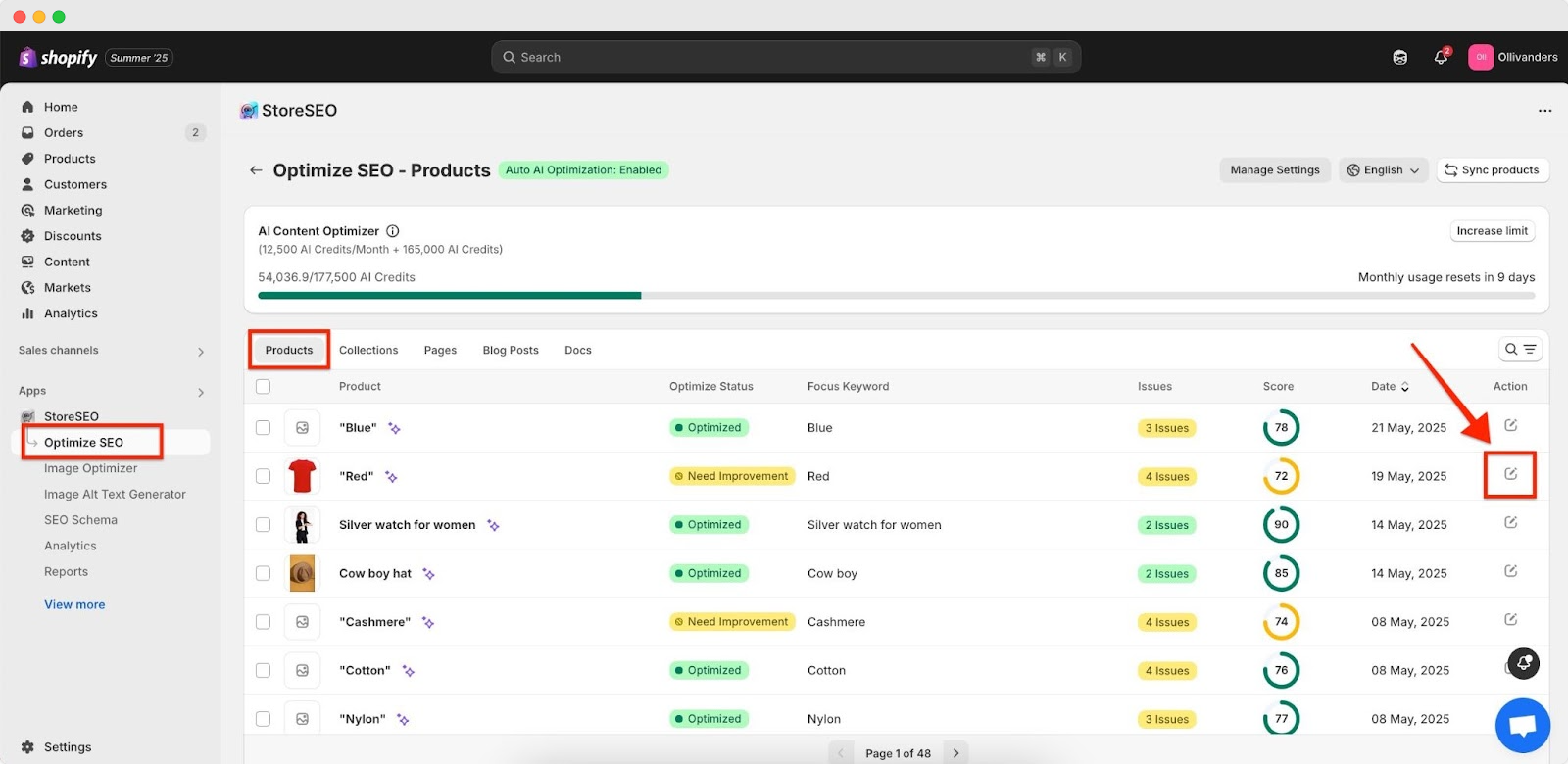
First, you need to install and activate the StoreSEO app on your Shopify shop. Then go to the ‘Apps’ option from your dashboard and select the ‘StoreSEO’ app.
Step 2: Go To Shopify Product List
Now, click on the ‘Optimize SEO’ tab from the side panel and choose ‘Products’, where all your Shopify products are listed with details as shown below. For the product you want to add an Image Alt text, click on the ‘Fix issues’ button from the product details under ‘Actions’.
Step 3: Add Image Alt Text For Shopify Products
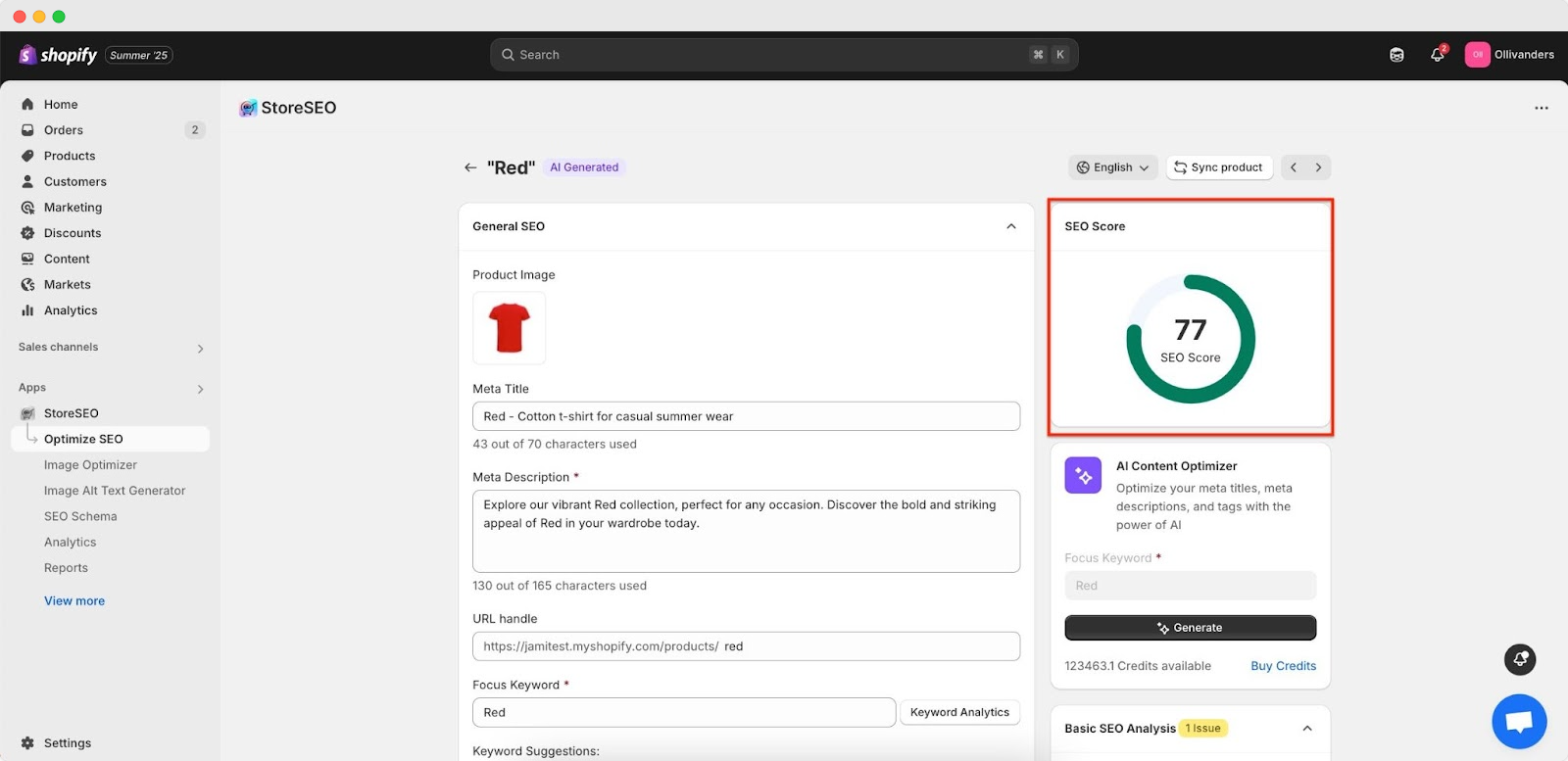
Scroll down to the ‘Image Alt Text’ section to add and edit the alt text of each of your Shopify product images.
Here, you can add descriptive text or the focus keyword to describe your Shopify product. Then, click on the ‘Save’ button that appears at the top bar to save the progress.

You can see the changes and improvements in the SEO score immediately. This is how easily you can add image alt text for Shopify products using the StoreSEO app.
Need assistance? Feel free to reach out to our dedicated support team for any type of queries.
Still need help?
Our support team is happy to assist you.