
How to Generate Blog Posts with StoreSEO AI Blog Generator
The Generate blog posts with AI is a powerful new feature in StoreSEO introduced to generate blogs for your Shopify store. Easily make SEO-friendly blog posts that bring in more visitors, connect with customers, and improve your store’s search rankings. This documentation shows you the simple steps to use StoreSEO’s AI to create clear, engaging blog content that fits your brand.
Make sure you have installed the StoreSEO app on your Shopify store. Then, follow these step-by-step guidelines to find out how to generate blogs with AI for your Shopify store using StoreSEO.
Step 1: Navigate to AI Blog Generator
To start, first go to your Shopify store and select the StoreSEO app. Click on the ‘AI Blog Generator’ from the side menu.
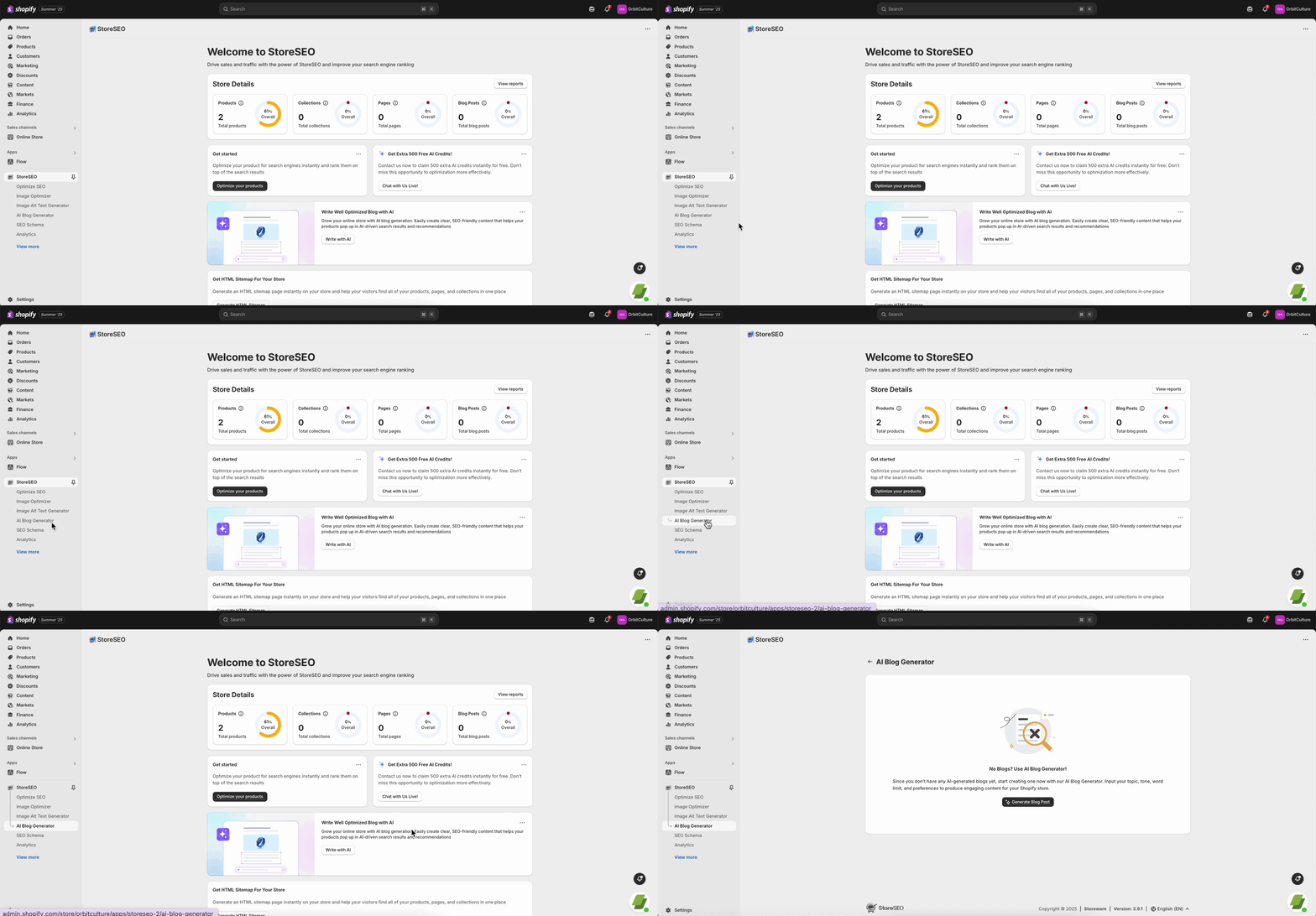
Step 2: Choose To Generate
To generate blog content for your Shopify store using AI, from the side menu, locate and select the ‘AI Blog Generator’ option.
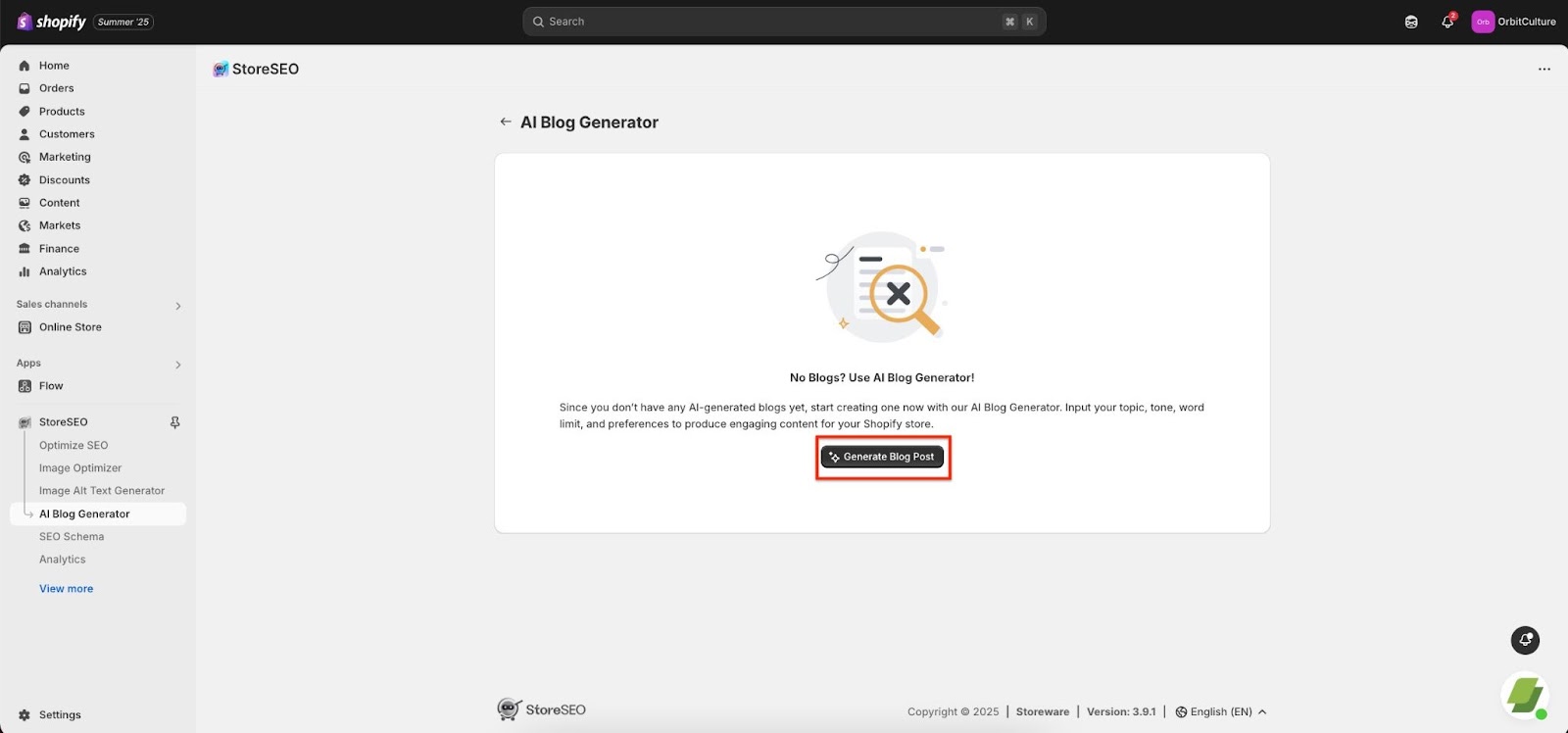
Step 3: Sync The Blogs
If you have not synced your blog with StoreSEO before, you must sync your blog to use the AI blog generation feature. For the syncing, just click on the ‘Please sync your blogs’ button.
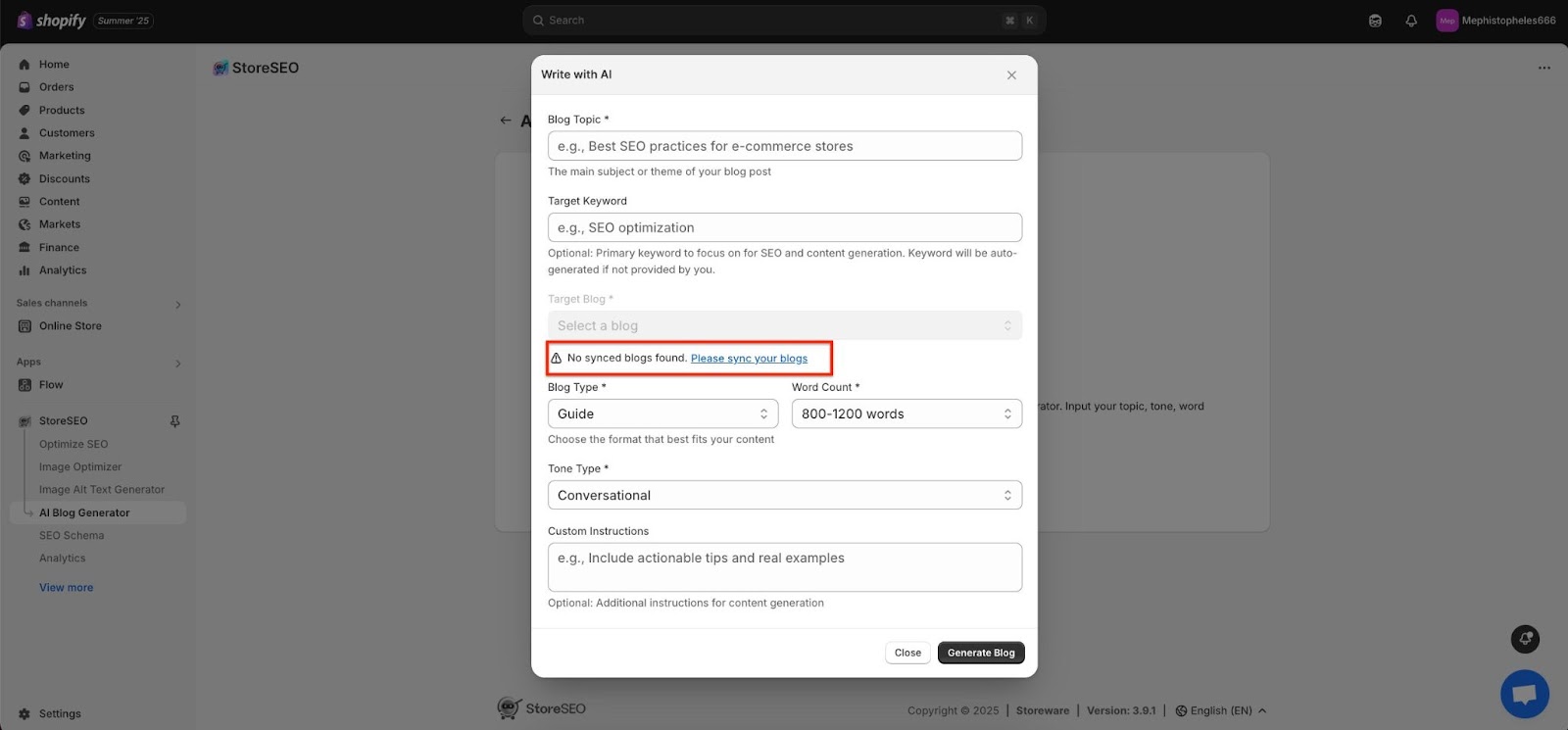
Step 4: Fill out the Instructions
To create a blog post with AI, ensure you enter all the details displayed in the panel, such as the blog topic, primary target keyword, adding a feature image, and any additional relevant fields or settings.
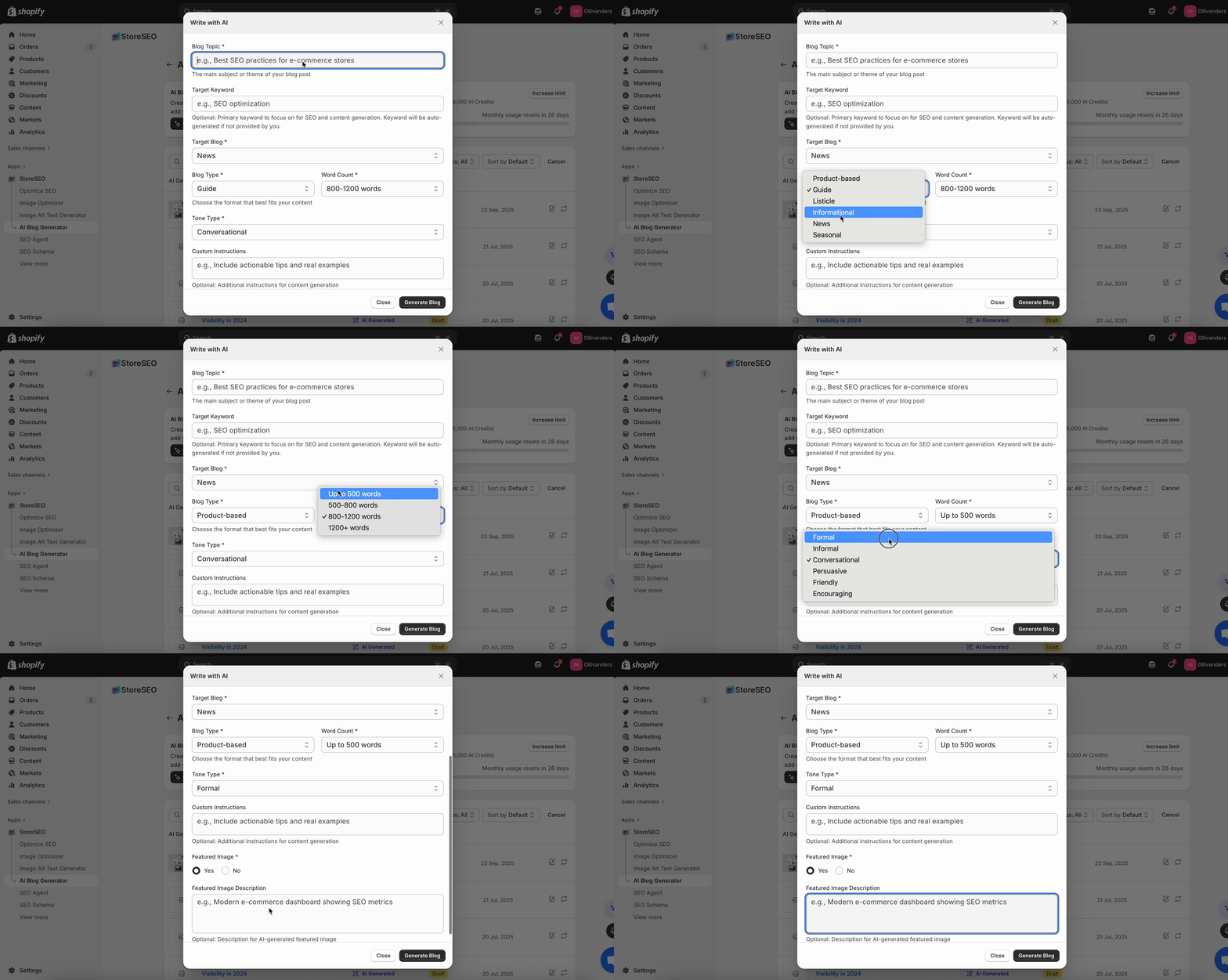
Step 5: Edit the Blog
After the blog generation, you can edit the blog post according to your preferences. Simply click on the ‘Edit blog post’ button.
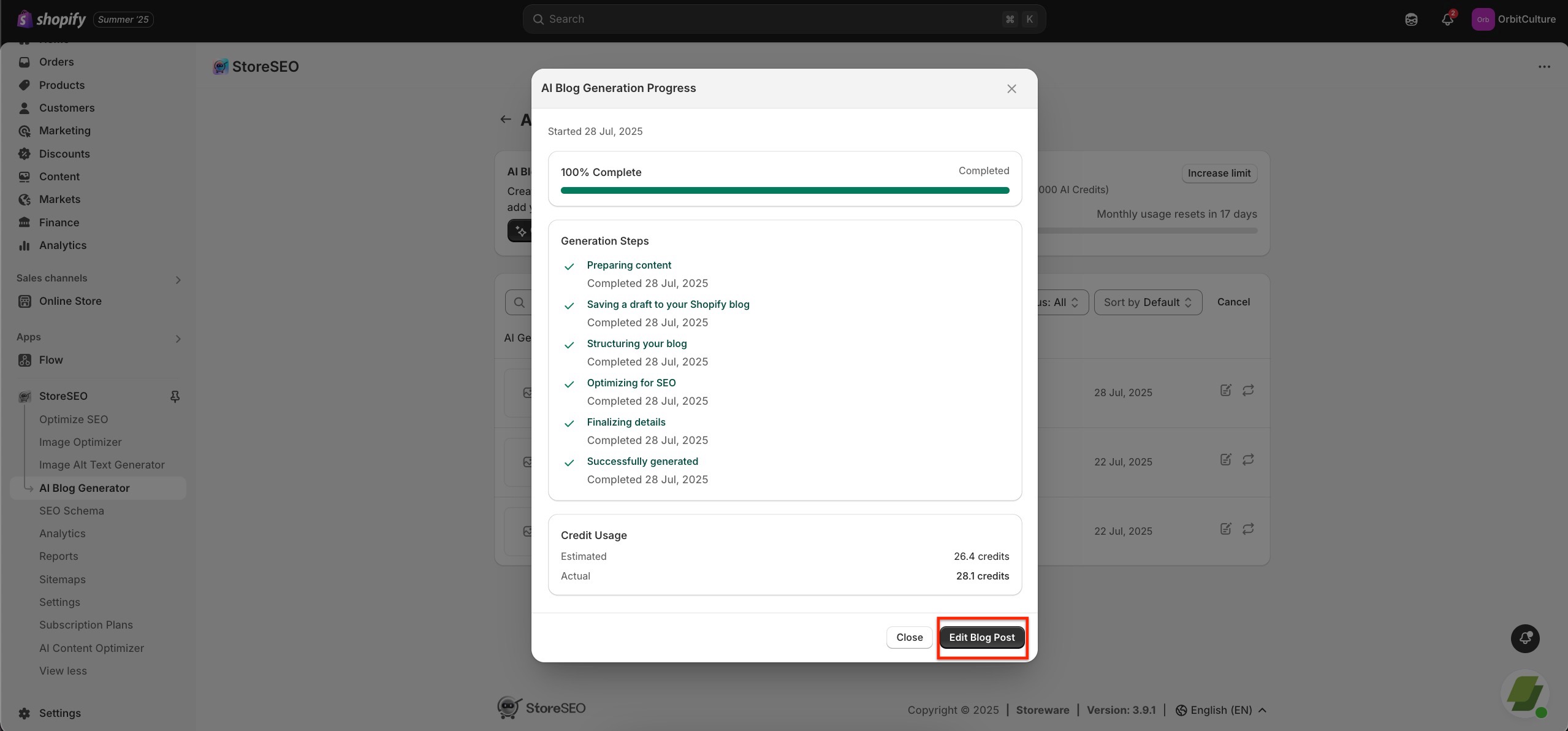
Here you can adjust the necessary changes on your blog like headings, adding images, tags, etc, according to your preferences.
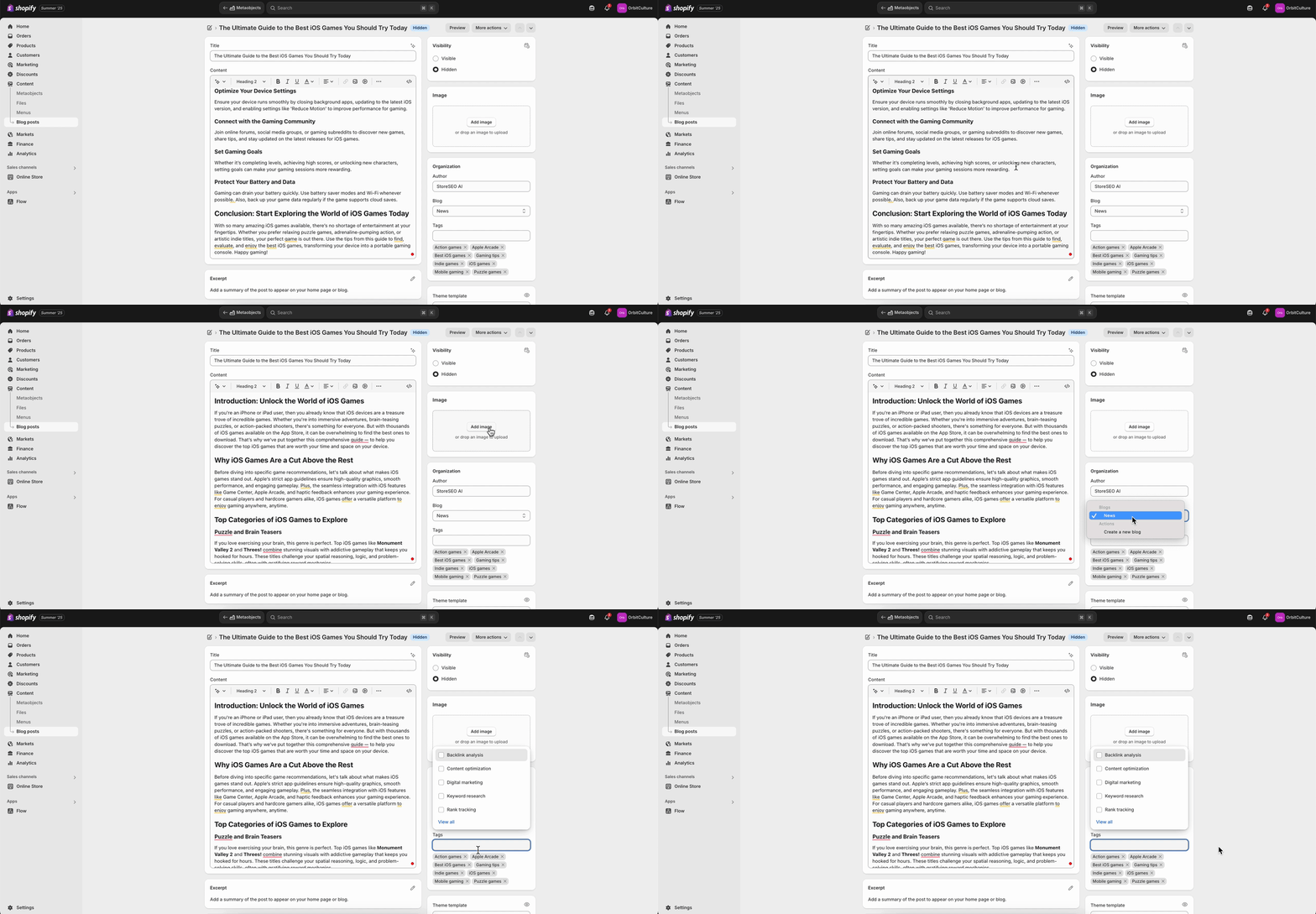
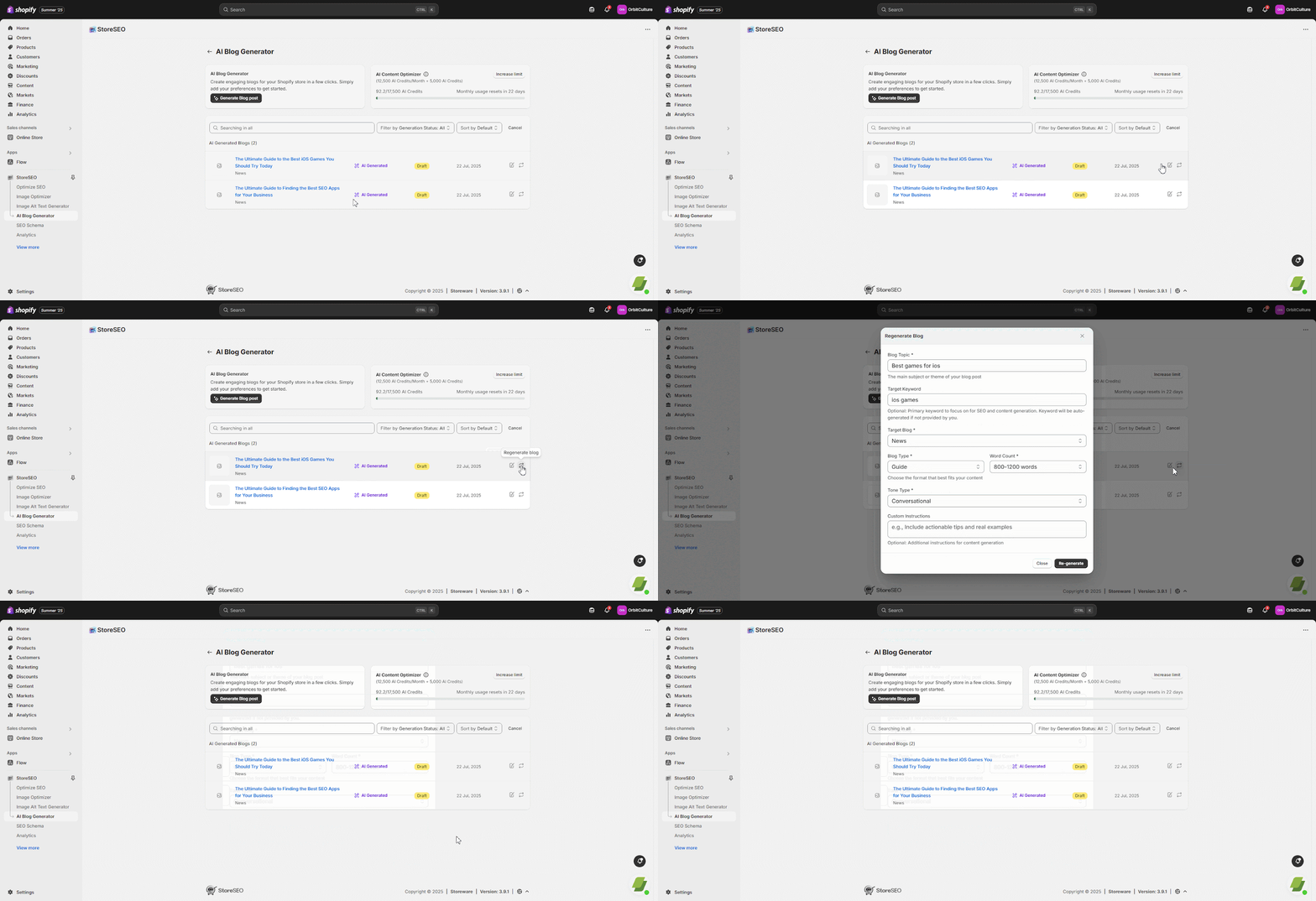
Your AI generated blogs will be on draft. You can edit the blog further from the ‘AI Blog Generator’ dashboard, and regenerate your blog as well, just by clicking on the ‘Regenerate your blog’ icon.
Step 6: SEO Optimize Your Blog
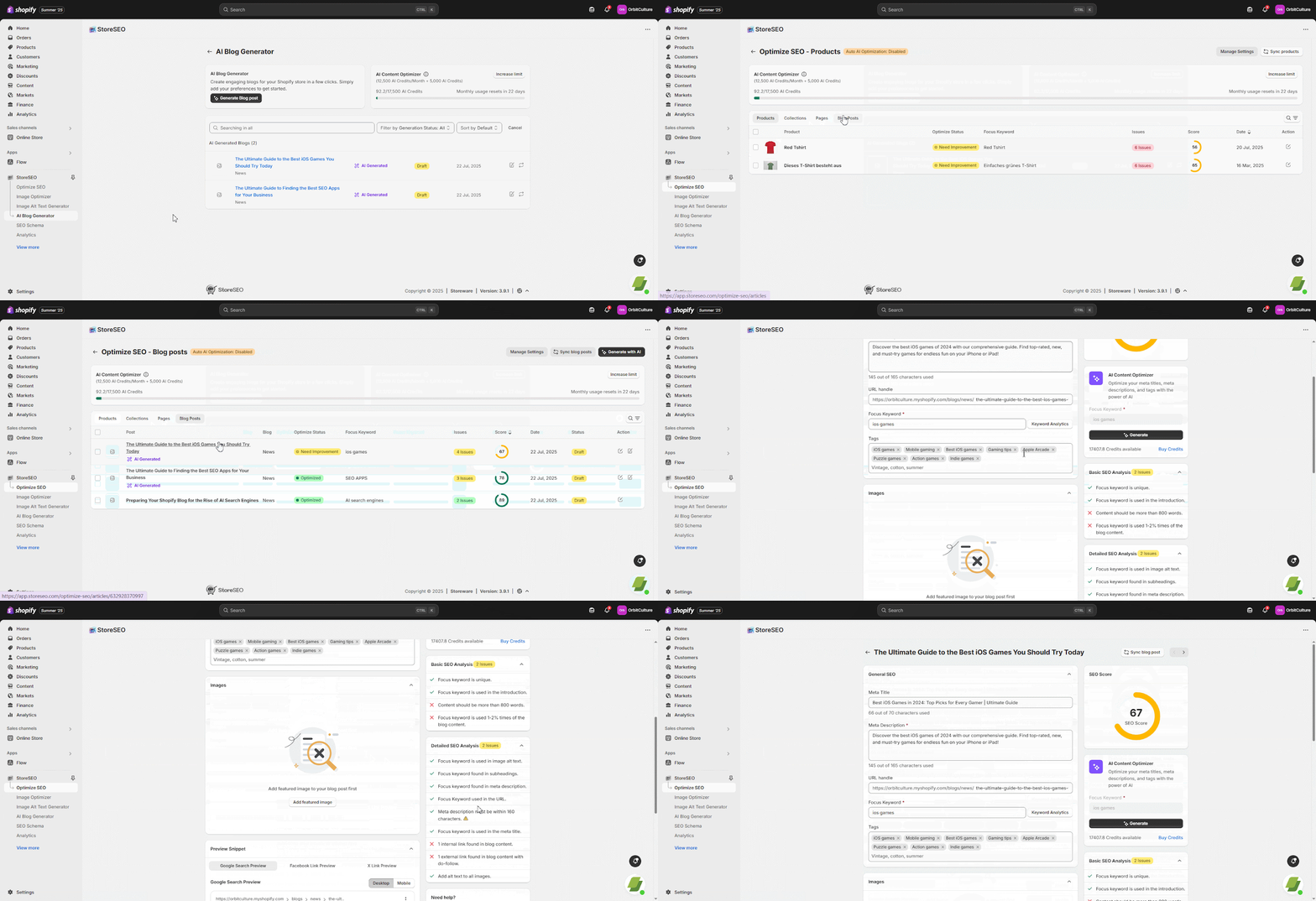
Your AI generated blog is already SEO optimized. However, for further advance SEO optimization of your AI generated blogs with the best SEO practices, go to the ‘Optimize SEO’ option, click on ‘Blog Posts’ and select the blog post you want to optimize following the SEO analysis.
This is how easily you can generate blogs with AI for your Shopify store using StoreSEO. If you need any assistance, feel free to contact our support team.
Still need help?
Our support team is happy to assist you.