
How To Sync Shopify Products In StoreSEO
StoreSEO app lets you easily sync products in your Shopify store to keep all your products up to date on the app. If you add more products to your store, you can use the ‘Sync’ button to make sure all your products are SEO optimized.
How To Sync Shopify Products In StoreSEO
Before you get started, you need to install and activate the StoreSEO app on your Shopify shop. Then, follow these steps to easily sync all Shopify products with one click in StoreSEO.
Go to the ‘Apps’ option from your dashboard and select the ‘StoreSEO’ app. Click on the ‘Optimize SEO’ tab from the side panel and choose ‘Products’, where all your Shopify products are listed with details.
Then, click on the ‘Sync Products’ button on the top right side of your dashboard screen as shown below.
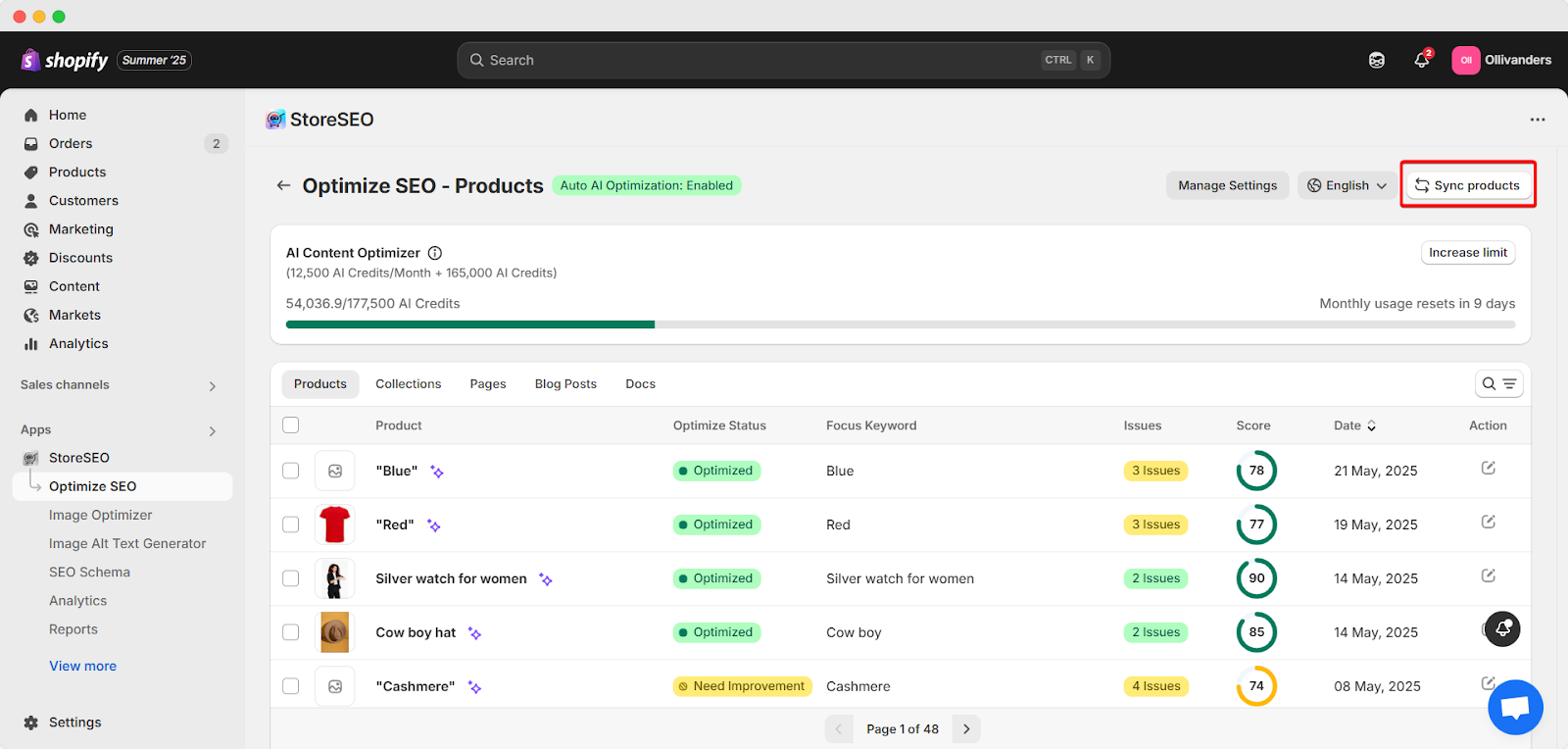
This is how you can easily sync Shopify Store products in your StoreSEO app.
Need assistance? Feel free to reach out to our dedicated support team for any type of query.
Still need help?
Our support team is happy to assist you.